
Exclude Recipient Domains From Signature Injection
If you use Signature 365 server-side injection, you can exclude messages sent to one or more recipient domains by creating a mail flow rule in Exchange Online.
The rule marks matching messages as already processed before they reach the existing Signature 365 mail flow rule. As a result, the messages are not routed to Signature 365 for signature injection.
Create the mail flow rule
Log on to the Exchange Admin Center mail flow rules page.
Select Add a rule, then select Create a new rule.
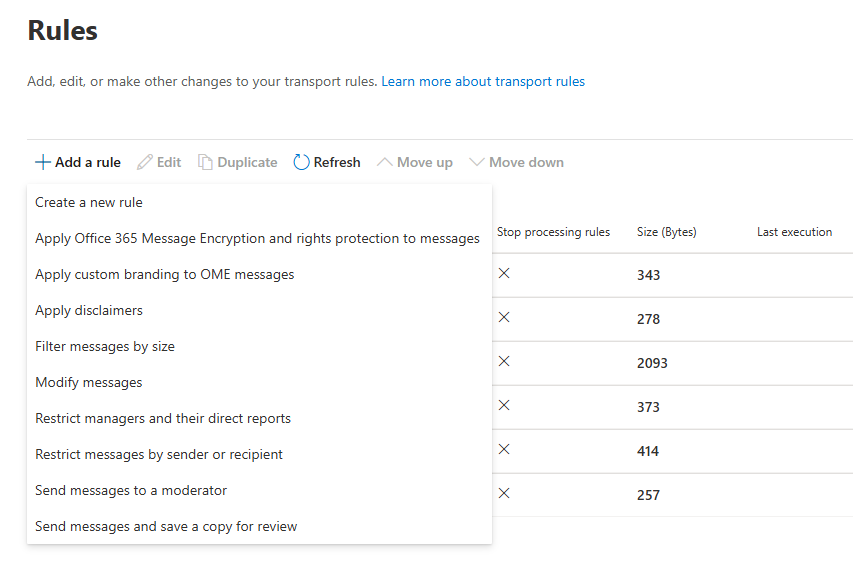
Name the rule Prevent signature injection for <domain>, replacing <domain> with the domain you want to exclude. Use a descriptive name so that the rule is easy to identify later.
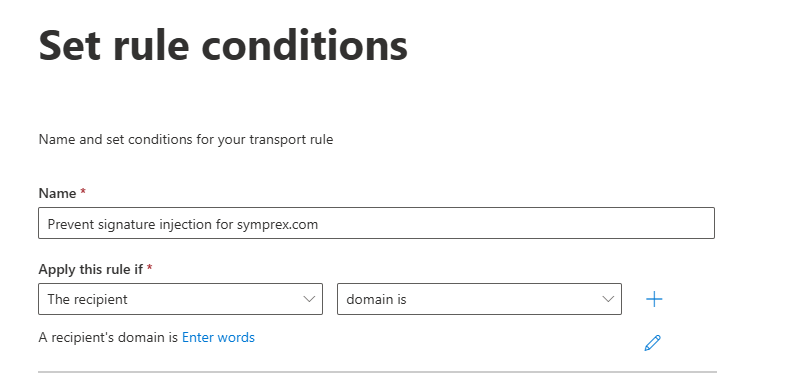
Under Apply this rule if, select The recipient, then select domain is.
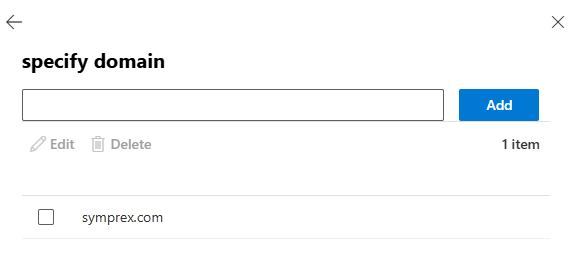
In the flyout window, enter the recipient domain you want to exclude, select Add, then select Save.
Under Do the following, select Modify the message properties, then select set a message header.
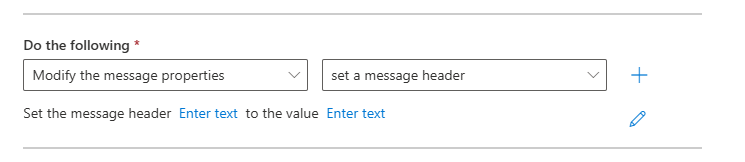
Select the message header Enter text link, enter X-Signature365-MessageProcessed, then select Save.
Select the value Enter text link, enter true, then select Save.
Select Next. Leave the remaining settings at their default values, select Next, then select Finish. When the rule has been created, select Done.
The new rule is created in a disabled state.
Set the rule priority and enable it
The exclusion rule must run before the Send to Signature 365 for signature injection mail flow rule.
Select the new rule, then select Edit rule settings in the flyout window.
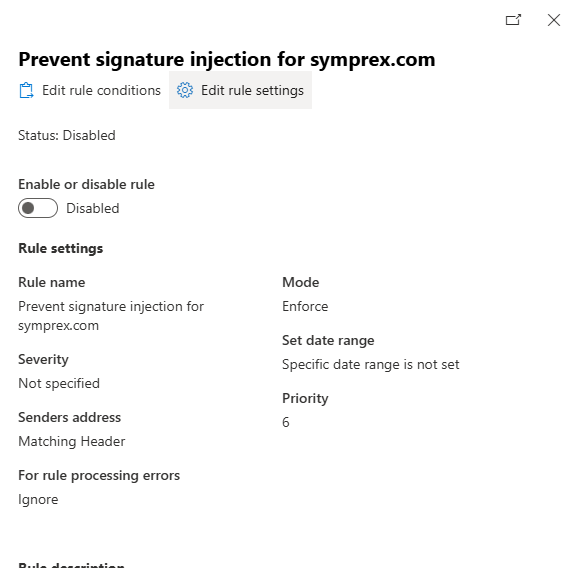
Set its priority so that it appears immediately before the Signature 365 mail flow rule. For example, if the Signature 365 rule currently has priority 5, set the new rule to priority 5. Exchange Online will renumber the existing rules accordingly.
Save the changes, open the new rule again, then enable it.
Messages sent to any recipient domain configured in this rule will now be marked as already processed and will not be routed to Signature 365 for server-side signature injection.